End-of-day closing
The Closing tile walks through the end of service, in order. It is not a lock: one staff member can close at noon, another in the evening.
Five steps:
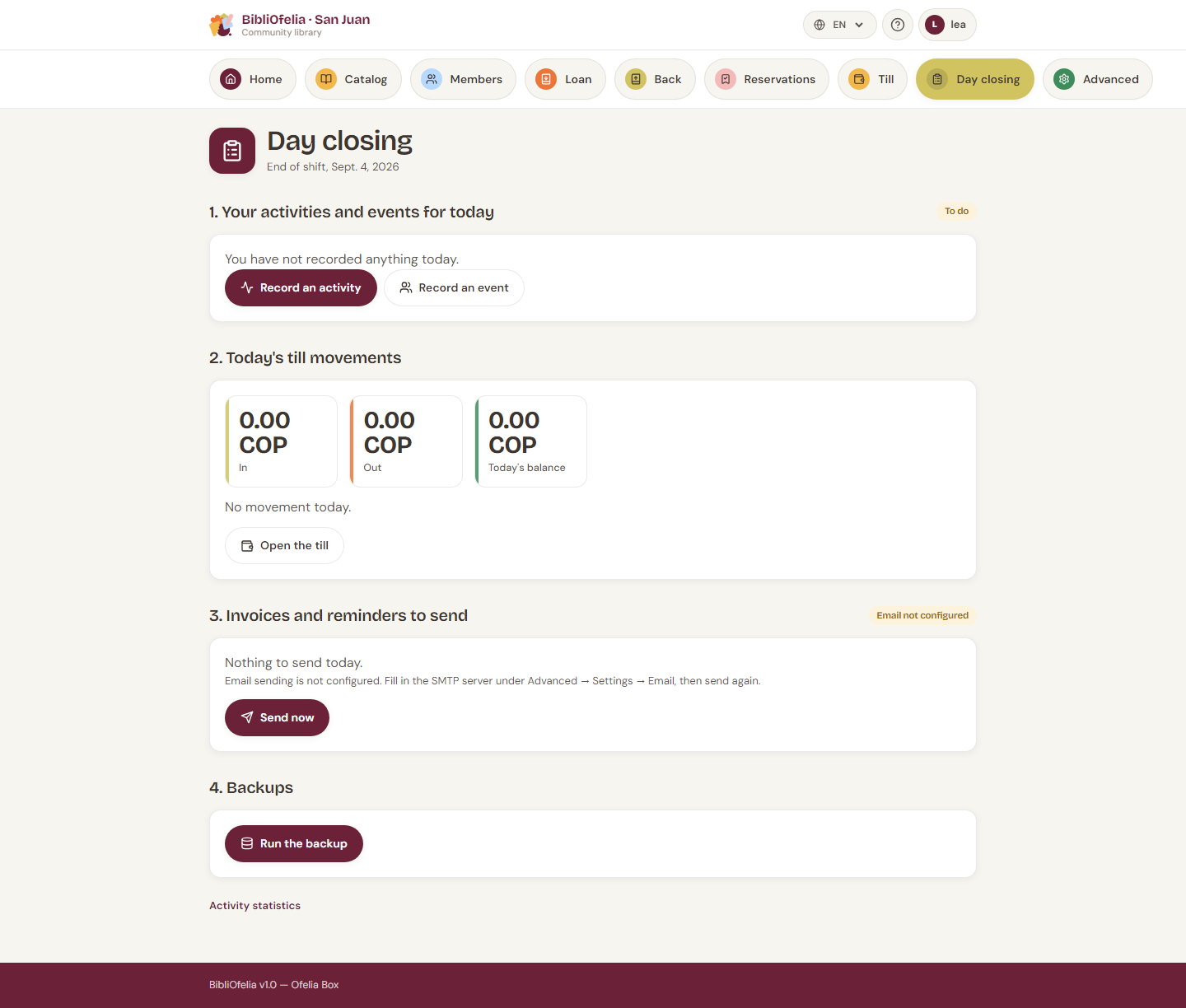
1. Your activities and events today
What you already logged today, with a Logged or To do badge. Buttons to Log an activity and Log an event.
2. Today's cash movements
In, out, today's balance, and the detail. Link to Open the cash desk if a movement is missing.
3. Invoices and reminders to send
Invoices never sent, and reminders for invoices overdue by more than one day (one reminder per invoice).
The button depends on where you are:
- Hosted instance (Grand-Saconnex, Sanjuan): Send now. If SMTP is not configured, the screen says so (Advanced → Settings → Email) instead of talking about the Box.
- Ofelia Box online: Send now.
- Ofelia Box offline: Queue for later. Emails go out once the Box is back online. Meanwhile, call people by phone (the list is on screen).
4. Backups
Run backup. A Done or Failed badge stays on screen. If it fails, tell the administrator.
5. Shut down the Box
This step appears only on the Ofelia Box, and only for an administrator. On a hosted instance it would make no sense.
BibliOfelia cannot shut the Box down itself (it runs in a container): it drops a request that the Box's system service must watch. If that service is not installed yet, the request is recorded but the Box does not shut down — the screen says so.
To shut down by hand: the Box power button, or ask the administrator.
Suggested order
Activities → a look at the till → sends → backup → shutdown. Nothing stops you from skipping a step and coming back.