Adding a book
Before lending a book, you need two things:
- A record (the descriptive entry: title, author, ISBN, etc.)
- One or more copies (the physical items you own)
This page covers step 1. For copies, see Managing copies.
Opening the form
From the Catalog, click + New record at the top right.
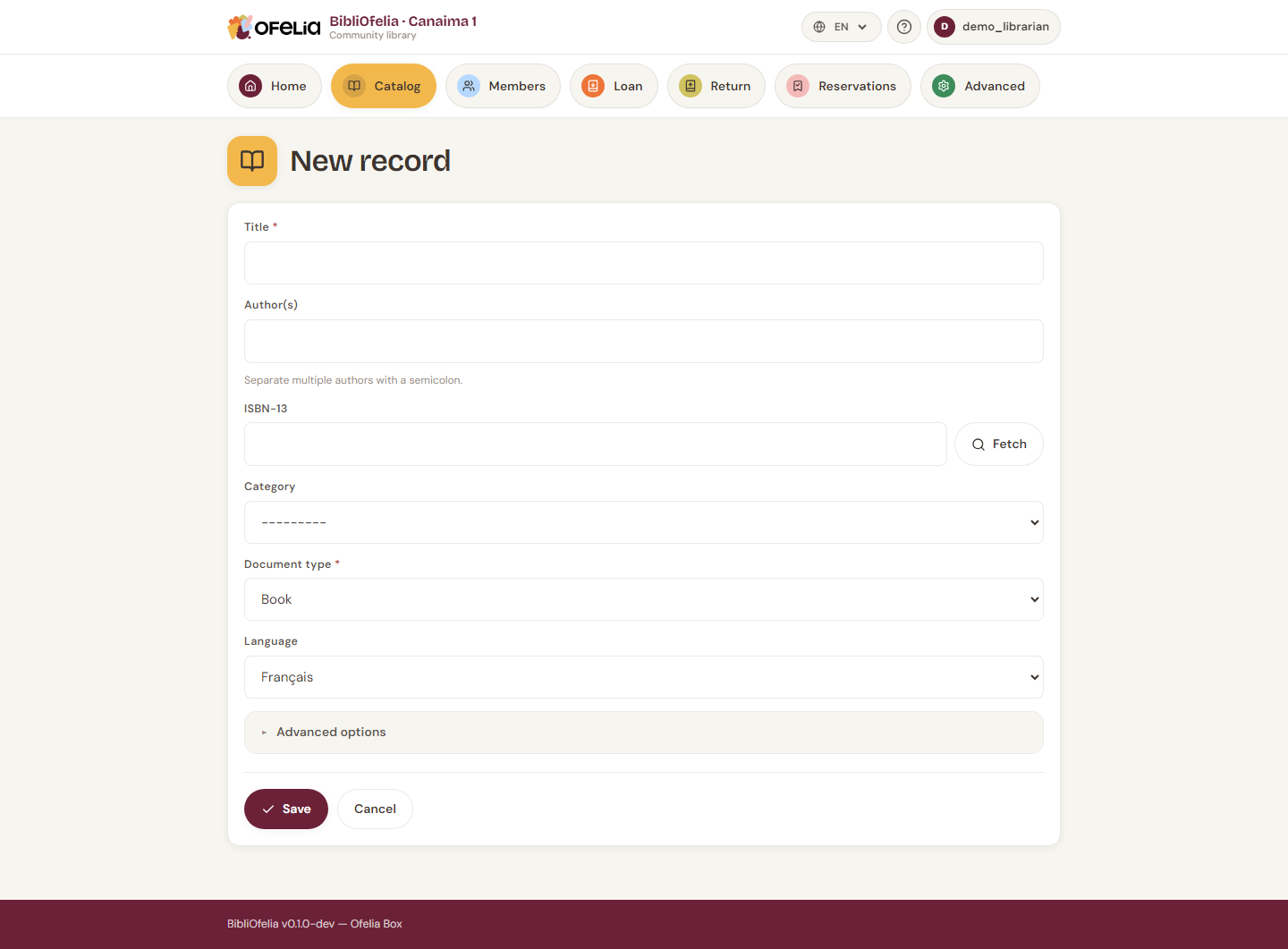
Quick method: ISBN search
If the book has an ISBN (13-digit code on the back cover), type it in the ISBN-13 field and press Enter.
BibliOfelia queries the OpenLibrary database and pre-fills the title, authors, publisher and year. You just need to check and complete.
No internet?
OpenLibrary requires internet access. Without a connection, you can still type all information manually.
Manual entry
If no ISBN or no network, fill in the fields by hand:
- Title (required)
- Author(s) — comma-separated for multiple authors
- Publisher — e.g. Gallimard, Hachette…
- Year of publication
- Language — important for multilingual libraries
- Classification — Youth Non-fiction, Adult Fiction… (configured by the administrator)
- Summary (optional) — short blurb to help readers
A magazine or journal?
For a periodical, fill in the ISSN field (instead of the ISBN): it is the 8-character code that identifies the magazine. Every issue of the same magazine shares this ISSN, so a single record is enough. The quickest way, though, is to scan the 977 barcode in cataloguing by scan.
Save
Click Save. The record is created and BibliOfelia immediately offers to add a first copy: see Managing copies.
Duplicates
If you enter the same ISBN twice, BibliOfelia warns you: do not create a new record, instead add an additional copy to the existing record (one book, two copies).
See also
- Managing copies
- Search in the catalog
- Locations — where to place the book in the library