Register a return
A return is even faster than a loan: you don't need to identify the member, the book is enough.
Open the Return page
From the top navigation bar, click the Return tile.
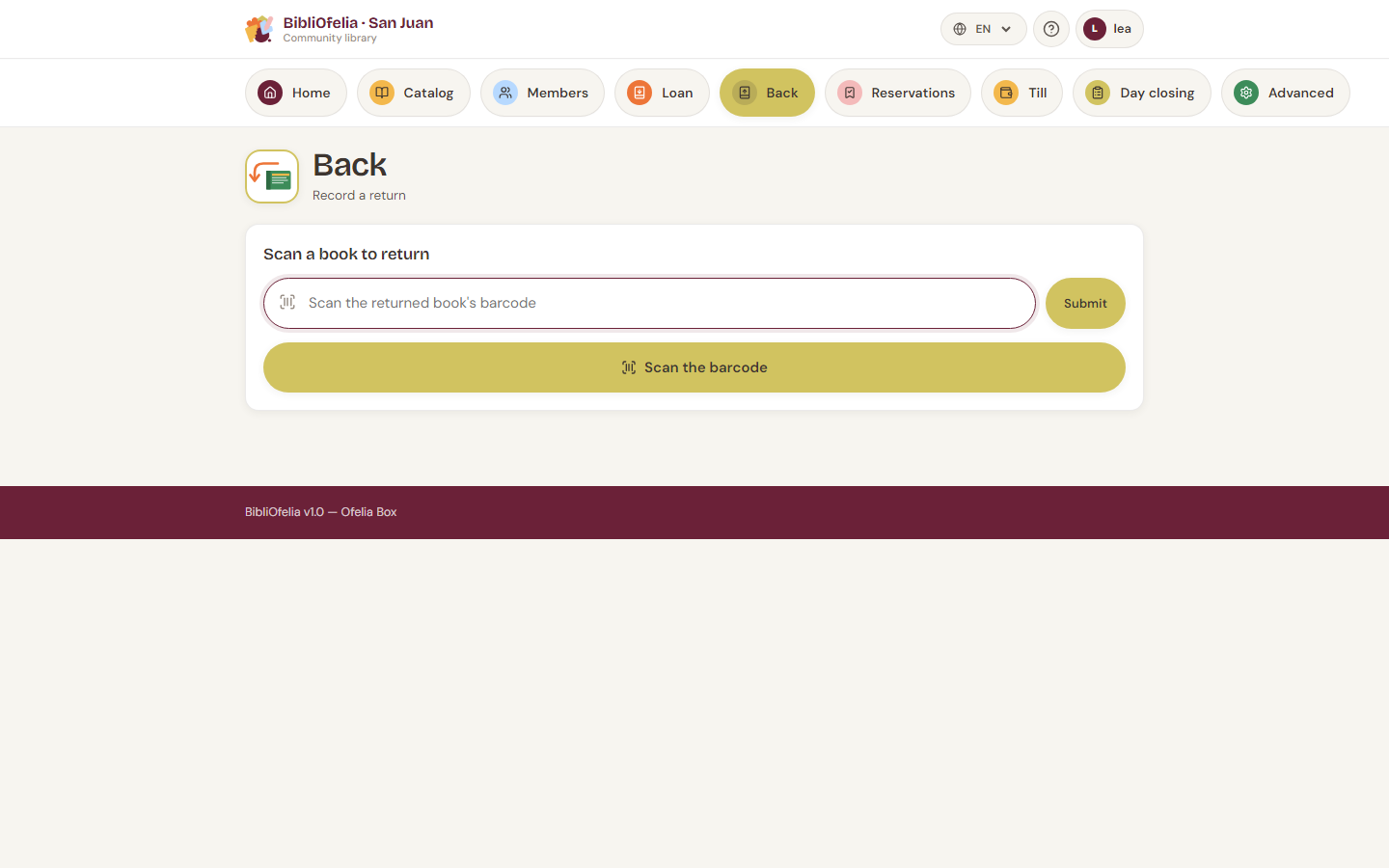
Scan the books
Scan the returned books one after another. Each scan:
- Marks the loan as Returned
- Shows who is bringing the book back (photo, first name, last name, age when they exist), the title, the copy codes, and the mention Return done
- Clears the field for the next book
You can chain a whole pile of returns in seconds.
No scanner?
Click Scan a book to open your device's camera, or type the copy's code on the keyboard then Enter / Validate.
Edge cases
The book is not on loan
If you scan a book that was not on loan, BibliOfelia warns you with an orange message. Check:
- You haven't confused two similar books
- The previous return wasn't already recorded
The book is overdue
The return is recorded normally, with no blocking message — we don't want to slow down returns. If you want to remind the member the book was overdue, do so verbally.
To track overdue returns systematically, see Common cases: long overdue.
The book triggers a reservation
If someone reserved this book, BibliOfelia displays it at the top of the page with the member's name and Set aside. This signals you to store the book in the pickup area instead of putting it back on the shelf.
See Reservations.
What's next?
Once the return is done, the book is Available again: you can shelve it or set it aside if a reservation was waiting.