Renew a loan
If a member wants to keep a book longer, you can renew their loan without them having to bring the book back.
From the member profile
The simplest way: open the member profile and find the loan to renew in the Active loans section.
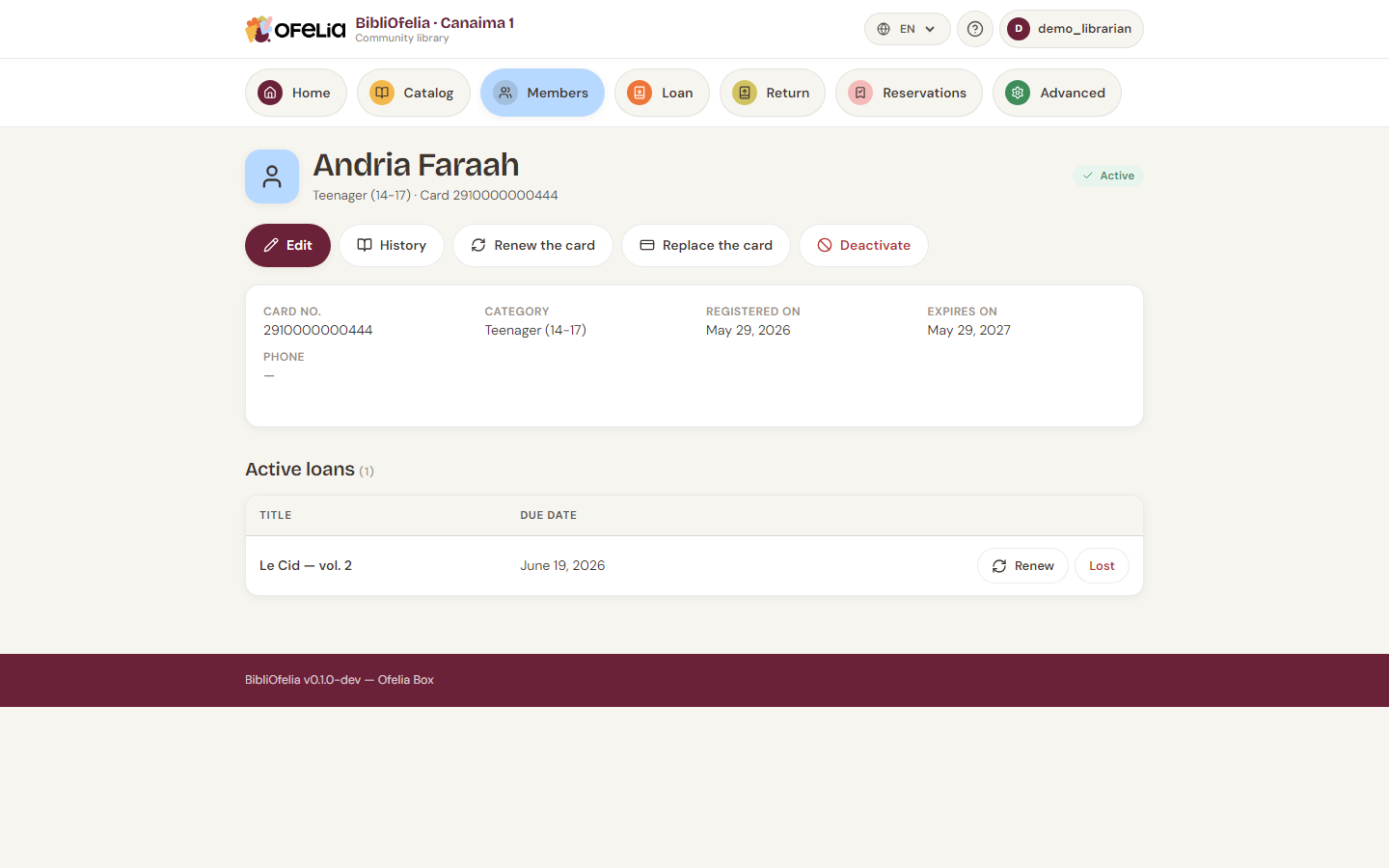
To the right of each row, the Renew button extends the return date by a standard duration (default 21 days starting today).
How many times can you renew?
By default, a loan can be renewed once. Beyond that, BibliOfelia blocks renewal: the member must bring the book back (and re-borrow it if no one else reserved it).
This maximum is configurable by the administrator in the settings.
When renewal is refused
- The book is reserved by another member: no renewal possible, the current member must return the book
- The member reached the maximum number of renewals for this loan
- The member's card is expired: renew the card first (Card renewal)
Special case: renewing without the book at hand
If the member calls you for a renewal, open their profile from the global search (type their name), find the affected book and click Renew. No scan needed.