Search
BibliOfelia provides two complementary search tools: the global search from any page, and the catalog filter when you are already in the book list.
Global search
At the top of every page, a large search field accepts:
- A title or a word from the title — "petit prince", "germinal"
- An author name — "hugo", "saint-exupéry"
- An ISBN-13 — 9782070612758 (publisher's code, on the back of the book)
- A copy Ofelia code — 2900000000017 (barcode on the BibliOfelia label)
- An external Ofelia code — BCF13298781X (a code put on the book by another library or by a donor, if you recorded it on the copy)
- A member name — "rakoto", "dubois"
- A card number — 2910000000444 (barcode on the card)
BibliOfelia automatically detects what it is (book, member, copy) and takes you directly to the right page.
Type then Enter
No need to click a button: type and press Enter, BibliOfelia handles the rest.
Catalog filter
From the Catalog page, the record list can be filtered by:
- Free text (title, author, publisher)
- Classification (Youth Non-fiction, Adult Fiction…)
- Language
- Location
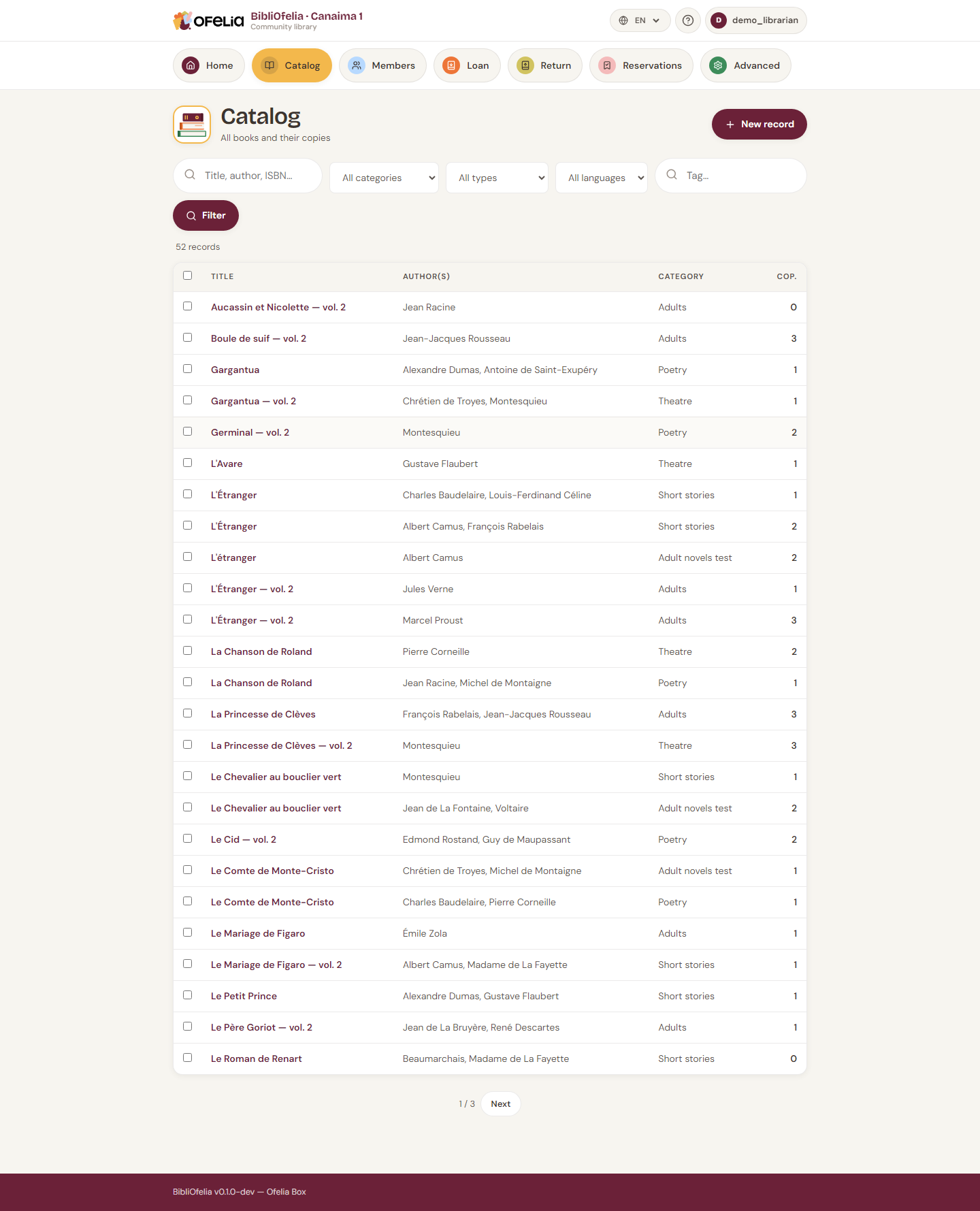
Filters combine: for example "Adults" + "French" + "Gallimard" to see only French Gallimard novels for adults.
Search copies instead of records
By default the catalog shows one line per book (per record): if you own three copies of The Little Prince, you see a single line with "3" in the Copies column.
The filter bar ends with two buttons, which run the same search but present the result differently:
- Search records — one line per book (the usual view);
- Search copies — one line per copy. The three copies of The Little Prince then appear on three lines.
The button of the current mode is highlighted, so you can see at a glance what you are looking at. In copy mode, the "Copies" column gives way to three useful ones:
- Ofelia code — the barcode on the label
- External Ofelia code — another library's code, if there is one
- Source — where this copy comes from
This is the only screen that shows that the same book has one copy bought by the library and another one on loan from a partner library. Combine it with the Source filter to find a whole collection again — for example on the day it has to go back.
Returning a borrowed collection
Tick Search copies, filter on the source, tick Select all, then Delete the selected copies. The books leave the catalog but the records stay: if the partner library lends you the same titles next year, you only have to create copies again. See Sources.
A forgiving search
The search is not picky: typing "petit prince" also finds "Le Petit Prince" and "petits princes". You can write in uppercase or lowercase, with or without accents, in any order. BibliOfelia handles the rest.
Search by barcode
With a scanner or your device's camera (camera icon next to the search bar), you can scan a book's barcode directly: the book or copy page opens instantly.