Activities and events
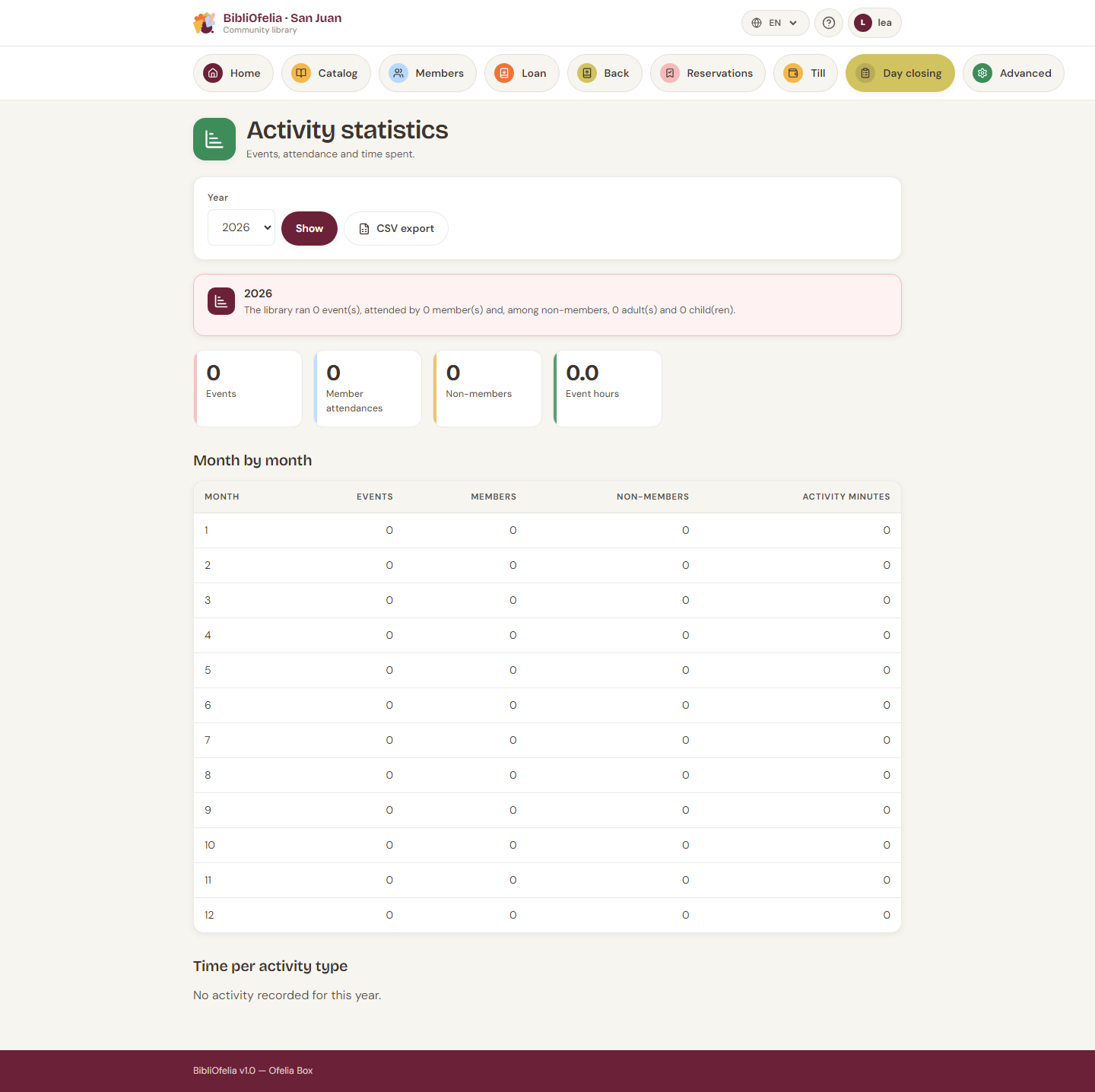
At year end a funder often asks: how many events, how many participants, how many hours of work? These screens exist so you can answer.
Two distinct entries:
- Activity — an employee's work time (desk, cataloguing, shelving…). No audience.
- Event — a session with an audience (story time, workshop…). Attendees are counted.
Log an activity
Activities (also from step 1 of end-of-day closing).
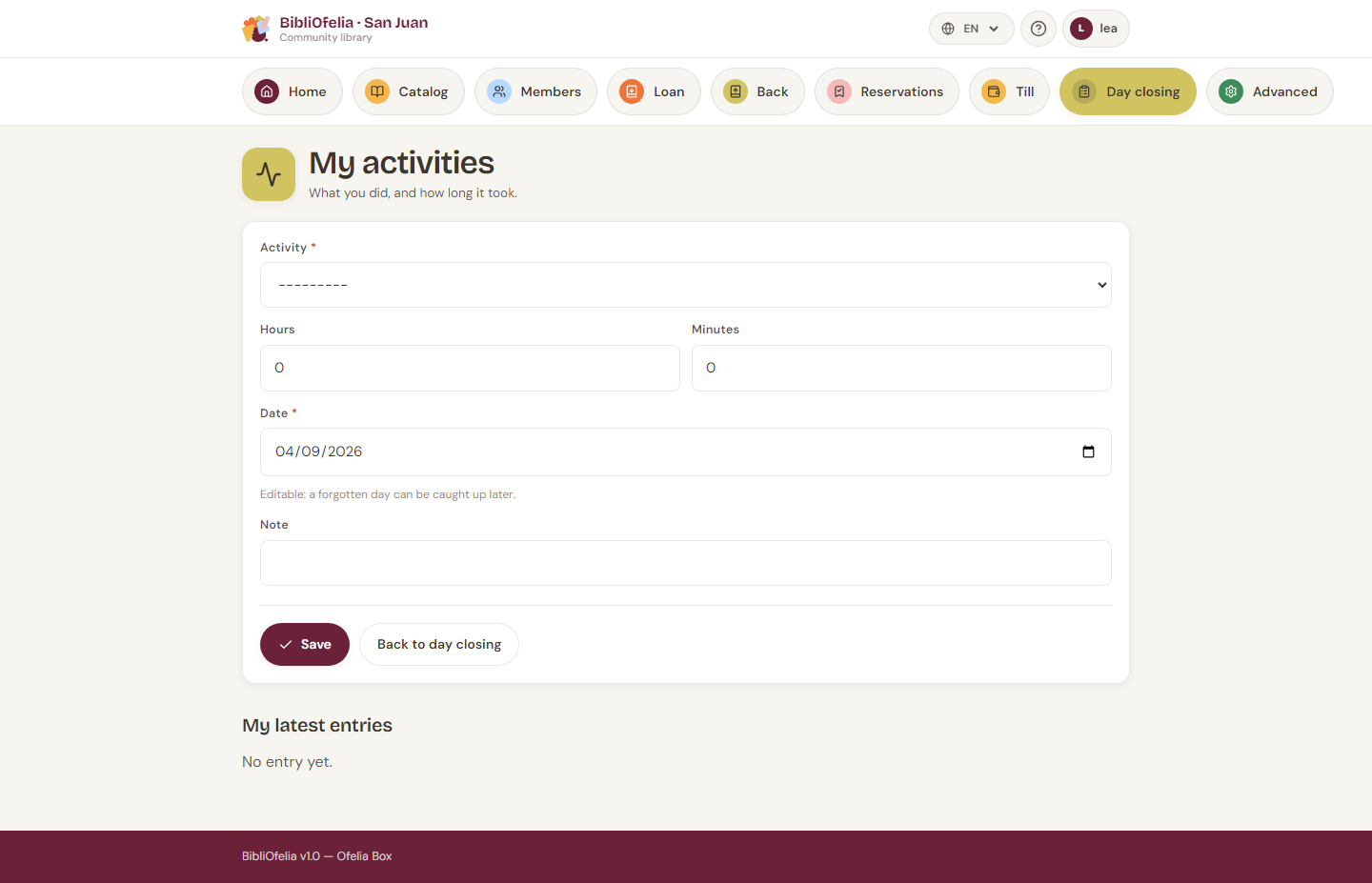
- Kind (desk, cataloguing… — an administrable list).
- Duration in hours and minutes (not a decimal).
- Date: today by default, editable into the past only — you cannot log tomorrow's work.
- Optional note.
A deactivated kind leaves the form but stays in the statistics: history is not rewritten.
Log an event
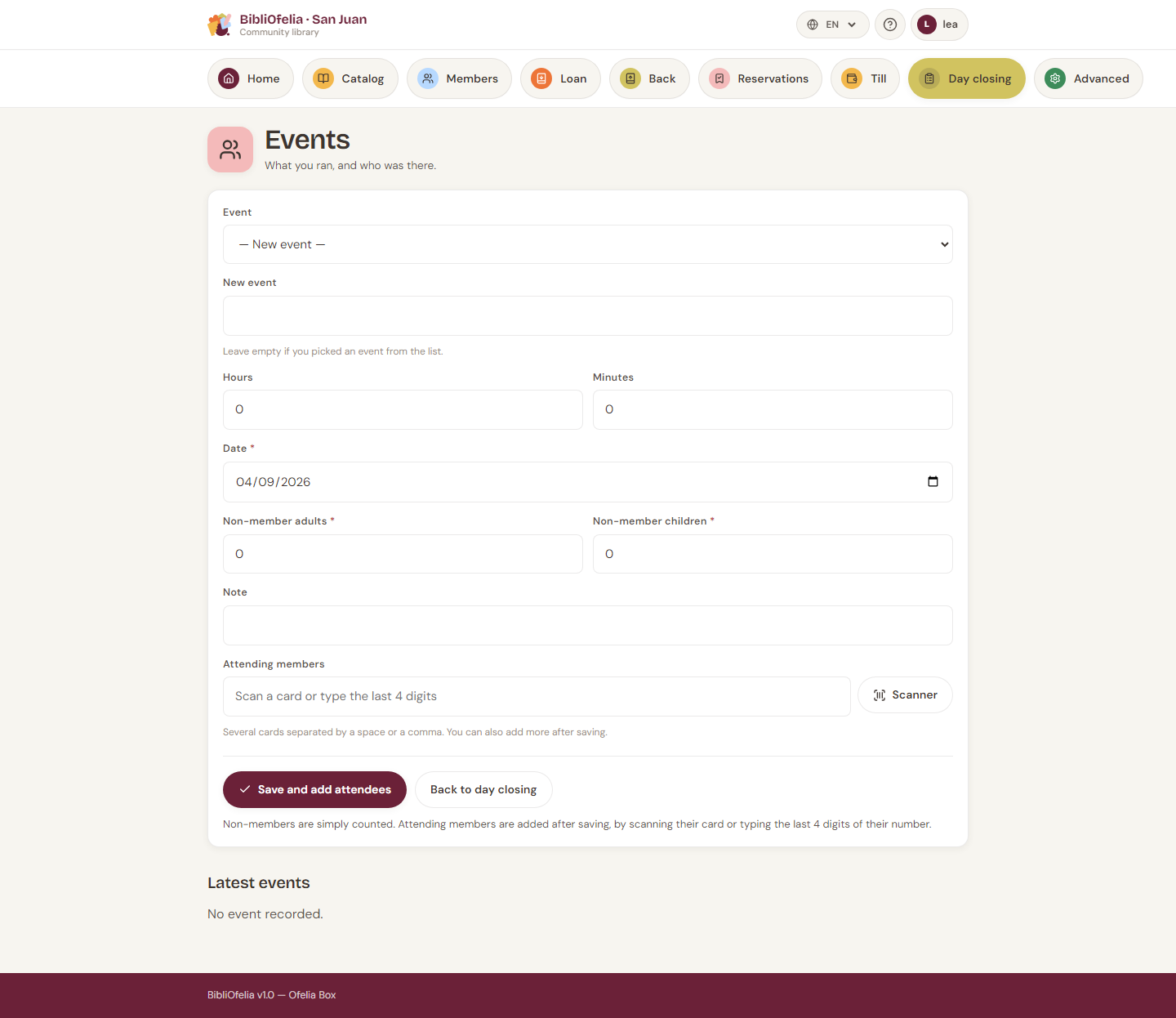
- Type — you can create a new one from the form (« Story time », « Comics workshop »…). Two labels that differ only by case do not create a duplicate.
- Duration, date (today or earlier), presenter, note.
- Attendance from creation:
- scan cards, or type the last 4 digits of the number (several codes separated by a space or a comma);
- count non-members separately (adults / children).
If four digits match several cards, the screen asks you to choose instead of guessing. An unknown code does not fail the save: it is named in a warning, to be fixed on the event page.
On an event's detail you can still add attendees one by one (scan or typing).
Non-members are not profiles
They are counted only. If someone comes often, enroll them.
Statistics
Statistics (Advanced, or from the lists). Year totals, month by month, time by kind, members and non-members. A CSV is available for the annual report.