Print member cards
Member cards are generated as PDFs from BibliOfelia. You can print one or several at a time.
Open the printing page
Advanced → Printing → Cards.
For one 62 mm roll card, the fastest path is the Print card (62 mm) button on the member profile.
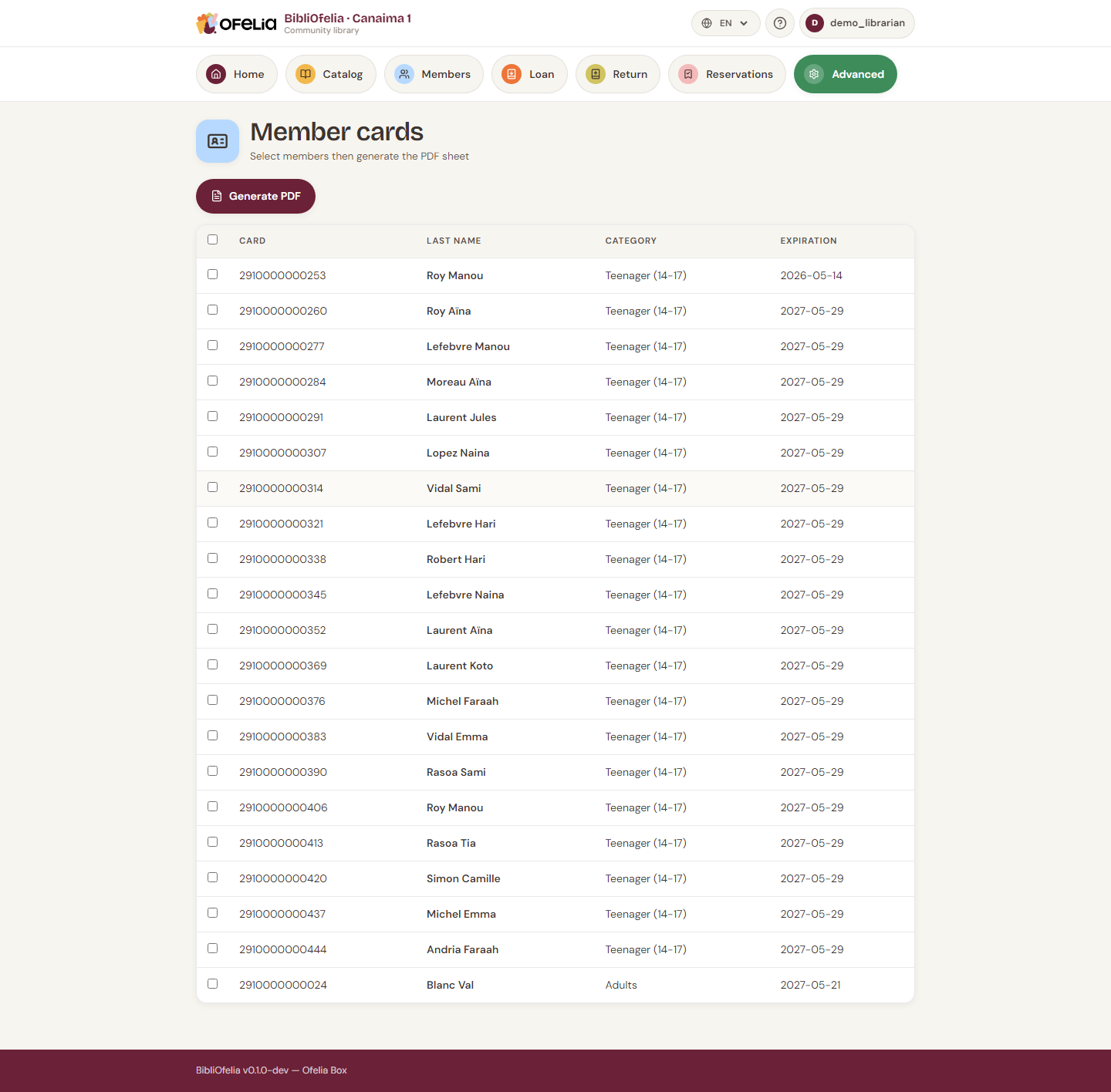
Choose the cards to print
The list shows all members. You can:
- Filter by category, enrollment date, status
- Tick the relevant members (checkbox at the start of the row)
- Tick all from the header to print all filtered cards at once
Choose the language
The Language selector at the top sets the language shown on the card (labels "Member card", "Expires on", etc.). Handy to print cards in French for francophones and in Malagasy for others.
Generate the PDF
Click Generate PDF. A new tab opens with the PDF ready to print. Each page contains several cards at business card size (85 × 54 mm).
What a card contains
- OFELIA logo as watermark (cream background)
- Member photo (top left, if provided)
- Last name and first name in large font
- Card number and EAN-13 barcode
- Expiration date
- Flag of the preferred language
Printing tips
- 200-300 g/m² paper for a sturdy card
- Laminate afterwards to make it water- and fold-resistant
- You can also print on sticky labels to attach to pre-printed blank cards
Print in series for new enrollments
If you enroll several members the same day, batch them and print in lot in the evening: less paper waste (cards are arranged 6 per A4 page).
Printing on a tape printer (Brother QL-810W)
With a Brother QL-810W plugged in over USB and a 62 mm continuous tape, the 62 mm tape (Brother QL) button prints one card at a time, at the exact bank-card size (85.6 × 54 mm).
- Tick the members, then click 62 mm tape (Brother QL).
- The PDF opens in a new tab: start printing, then pick the Brother QL-810W printer, 62 mm paper, 100 % scale.
- The card comes out sideways across the tape — that is expected, it is the right size once peeled off.
Since the tape is adhesive, stick the card onto card stock and laminate it: sturdier than a plain paper print.
Black and red tape
With a two-colour tape (DK-22251), the "Member card" line prints in red. The barcode stays black so the scanner can still read it.