Fees and member categories
Member categories (Adults, Children, Staff…) and the other amounts (fines, events) are managed in the same place.
Advanced → Fees and member categories.
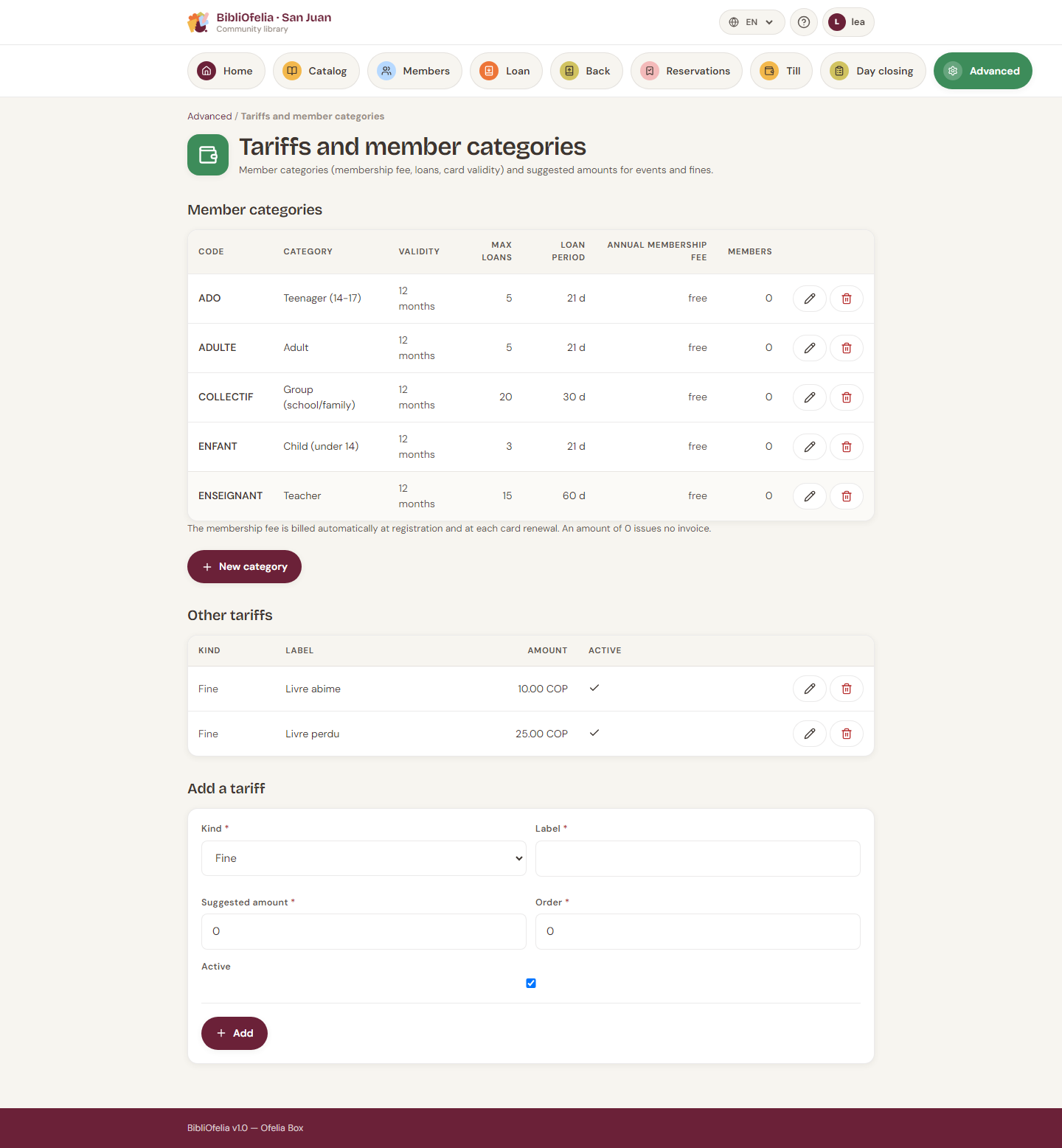
Member categories
Each row shows: code, name, card validity, max loans, loan duration, annual membership fee, number of members.
- New category — code, name in the 4 languages (French is required), fee (0 = free), validity, loans, allowed document types. No box checked = every type is allowed.
- Edit (pencil) — same fields.
- Delete (bin) — refused while a member still holds this category. Reclassify the profiles first.
The membership fee is billed automatically at enrollment and at each card renewal. A fee of 0 emits no invoice.
Changing a member's category
On their profile, Edit then the new category. Still-open, unpaid membership invoices are cancelled; if the new category has an amount, a new invoice is issued. A fee already paid is not refunded.
Other fees
Below the categories: fines, events, other charges. These are suggestions: you can still change the amount when billing.
Create, edit, deactivate. A deactivated row leaves the forms but stays in history.
Currency
Amounts display in the instance currency (Advanced → Settings → Cash desk — currency and due dates). See Cash desk and invoices.